
The vast majority of businesses using Google Ads to find new customers run into the same problem: they get clicks and the form gets filled in. The sales team will tell you the leads are complete and utter rubbish. I’ve seen this time and time again. The issue isn’t usually with the Google Ads themselves. It’s down to how the campaign is set up (what it’s being told to aim for) and what happens after the click.
This guide sets out the steps that turn a campaign from leads to leads that actually become customers.
- Start with intent not volume
Google Search is so powerful because people are searching for something. Not every search is a search with a buying intent. What I’ve found is that if you focus on the high intent searches you get the best results.
- High intent: “emergency plumber near me” “buy CRM software for business” “book implant consultation”
- Low intent: “how to fix a leaking tap” “what is a CRM” “dental implant cost reddit”

Build your campaigns around the high intent terms first. Use phrase and exact match keywords. Include words such as buy, hire, quote pricing near me, book, services and company.
- Use keywords
Negative keywords are by far the quickest way to improve lead quality. What I’ve found is that simply looking at the Search Terms report and excluding anything that’s bringing in the wrong audience will save you a bundle.
Common negatives to add from day one:
- cheap, DIY, template, tutorial
- jobs, careers, salary, internship
- course, training, PDF, definition
- Competitor names (unless you are deliberately targeting them)
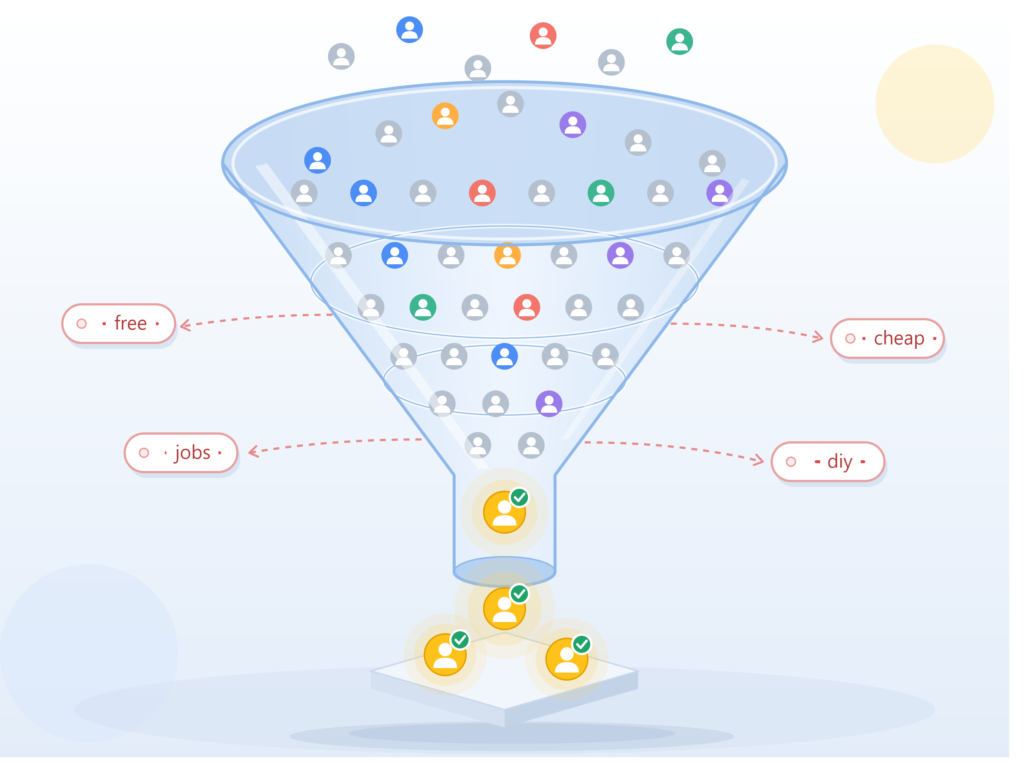
Every irrelevant click you block, that moves the budget to people who might buy.
- Write ads that filter well as attract
Loads of advertisers write ads to get clicks. For quality I want ads that pre-qualify the visitor so the wrong people filter themselves out. I’ve seen that ads which ask a question will in fact keep the wrong traffic away.
What is thew importance by adding or Include in the ad copy?
- Who it is for: “For businesses with 10+ employees”
- Price signals: “Plans from $499 per month” or “Projects start at $5,000”
- Location or service area: “Serving Austin and surrounding areas”
- A next step: “Request a quote” instead of a vague “Learn more”
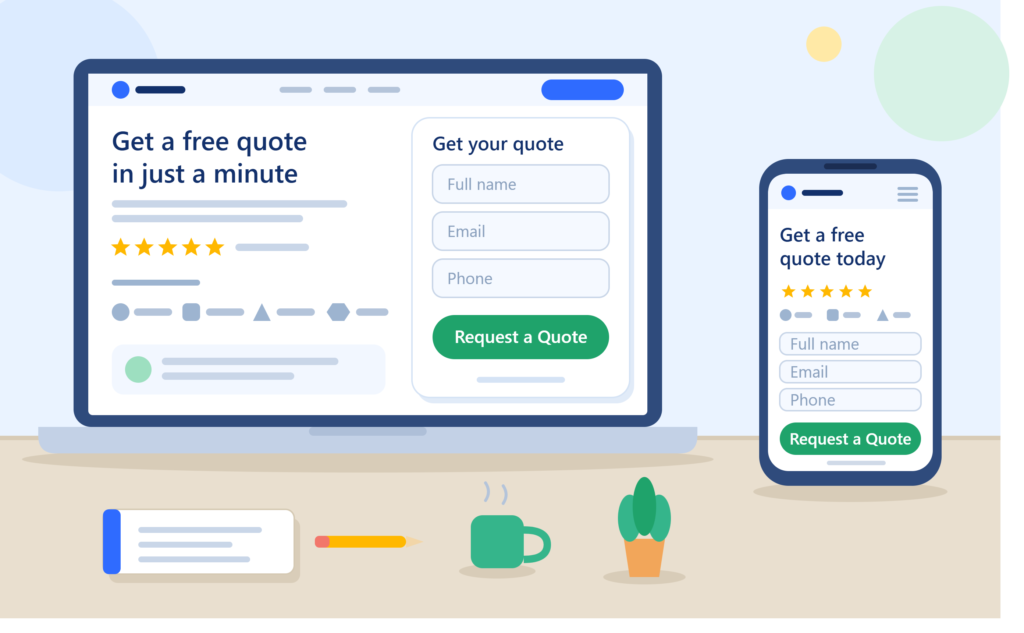
A lower click through rate with a higher conversion to customer rate is a good trade.
- Build landing pages that qualify
Sending traffic to the homepage is one of the lead quality killers. I’d recommend creating landing pages that match the ad promise.
A high‑performing lead generation page has:
- A headline that mirrors the search the visitor just made
- Proof: reviews, case studies, client logos, certifications
- A short focused form with qualifying fields (budget range, company size, timeline)
- One call to action with no distracting navigation
- Fast load speed on mobile
Adding two or three qualifying questions will reduce form volume by a small amount. The leads you get will be a lot more sales ready. I’ve seen this result in increased conversion rates.
- Optimize for the conversion
This is the step that makes the most difference to the results. If the campaign is counting every form fill as a conversion then Google will find people who fill out the form even if they don’t end up buying.
- Import conversions. Connect the CRM. Send back data on which leads became opportunities and which became paying customers.
- Use enhanced conversions to improve the accuracy of your tracking.
- Assign a value to each action. A booked demo is worth more than a newsletter sign up.
- Track the phone calls using call tracking. Set a minimum call length (e.g. 60 seconds) to qualify as a conversion.
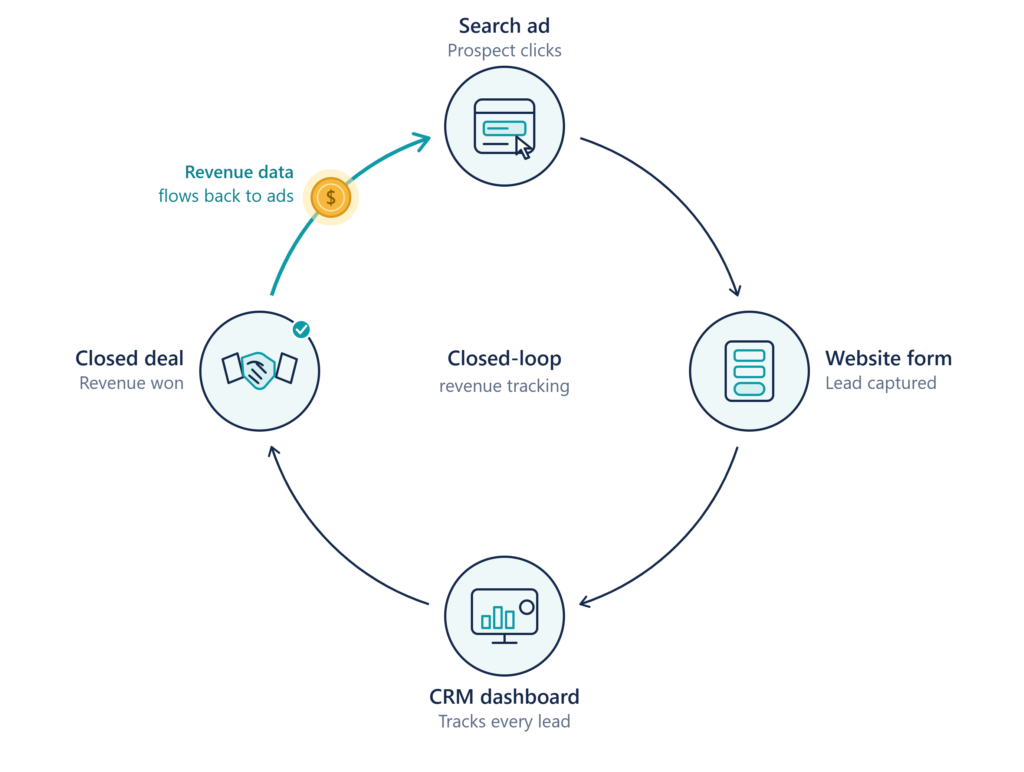
When Smart Bidding learns from revenue signals it starts to prioritise the searchers that are most like the customer. I’ve seen that lead to ROI.
- Choose bidding strategies
Start with Maximize Conversions or manual/enhanced CPC as you’re gathering data on the account. Once you’ve got some conversions (roughly 30 or so per month per campaign) then move onto Target CPA or Target ROAS using the qualified lead or revenue data. I’ve seen that approach work very well to smooth out the learning curve.
- Don’t set a low target CPA at the outset as it tends to kill leads (squeezes out the lowest quality leads, in fact, leaving you with the cheapest ones). I’ve seen a number of accounts get into this situation.
- Control who sees your ads
Use targeting settings to narrow the audience:
- Location: Select “Presence’ rather than “Presence or interest” if you want to reach people who are actually in the service area.
- Ad schedule: run the ads when the team can take the calls and get back to people quickly.
- Audience signals: Add customer match lists, people who visited the site previously and people searching for products as notes/signals.
- Device: look at how the ads are performing on each device and adjust your bids accordingly if the mobile leads aren’t converting into sales.
- Be careful with Performance Max
Performance Max can generate more leads. The problem is if you don’t monitor it Performance Max will just go out and chase conversions. If you use Performance Max:
- Give Performance Max conversion data and customer lists
- Add account‑level keywords and brand exclusions where they exist
- Watch placements and search category reports
- Run Performance Max together with not instead of, a well‑controlled Search campaign
- Close the loop with sales
Google Ads performance doesn’t stop at the form submission. You’ve got to meet the sales team regularly. Ask:
- Which campaigns and keywords are generating the leads?
- What are the usual reasons that leads get turned down?
- How quickly do we respond?
Answer has to be within minutes if at all possible. The speed of that contact is a massive driver of conversion. A slow reply can completely kill a good lead.
- Measure what matters
Don’t judge campaigns on cost per click or cost per lead. Track:
| Metric | Why it matters |
To effectively leverage Google Ads for generating quality leads, it’s essential to focus on long-term strategies rather than merely chasing clicks. As a PERFORMANCE MARKETING STRATEGIST IN WAYANAD, I recommend transitioning to Target CPA or Target ROAS after achieving a steady flow of conversions, as this can enhance your campaign’s efficiency. Additionally, regular communication with the sales team is crucial; a swift response to inquiries can significantly boost conversion rates. Remember, evaluating campaigns should be based on metrics that reflect true performance, not just cost per click or lead.
Cost per lead | Shows the real price of a sales‑ready contact |
| We Run Lead‑to‑opportunity rate | Share of leads that become real sales prospects
|We Cost per acquisition | Ties your ads to real customer results |
|We run Return on ad spend | Connects what you spend to what you earn |
Customer lifetime value | Shows what you can afford to pay |
Quick checklist
[ ] Target high‑intent keywords with a negative keyword list
[ ] Ads that mention price, audience or location to pre‑qualify
[ ] Dedicated landing pages with qualifying form fields
[ ] CRM‑based offline conversion tracking set up
[ ] Bidding aligned to qualified leads, not raw form fills
[ ] Weekly search terms review
[ ] Regular feedback loop with sales
Final thoughts
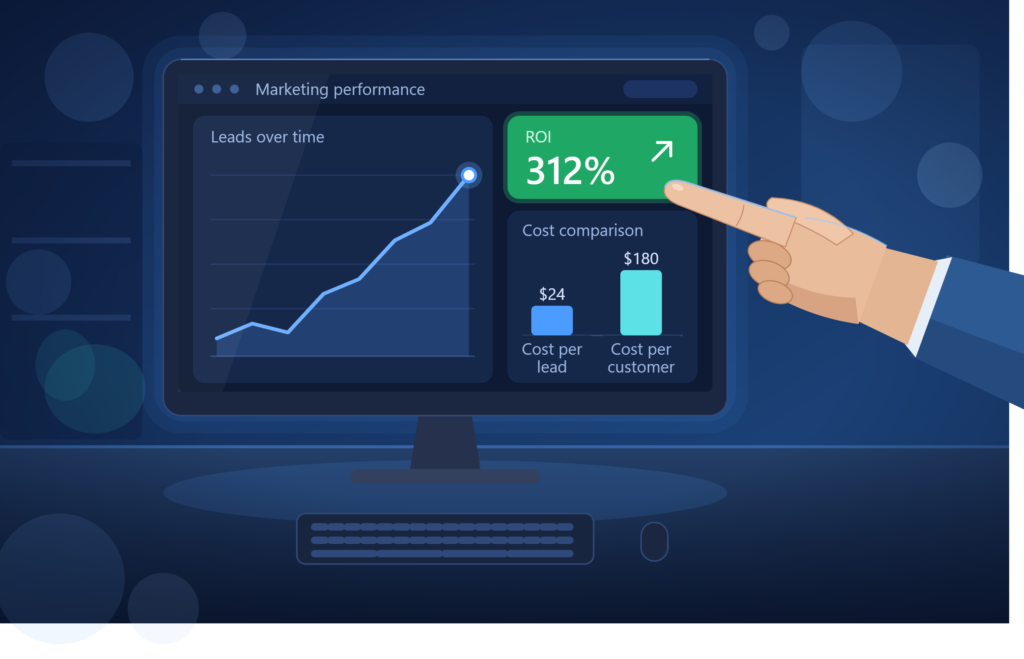
Getting quality leads from Google Ads is less about spending more and more about teaching the platform what a good lead is. Get the keywords right, the visitors you get via the ads are going to be qualified. Your landing pages will be feeding real outcome data back into Google and you’ll be able to keep sales and marketing in sync. Do that consistently and cost per customer will go down, even if cost per click doesn’t.